
Clearing Mental Clutter: A Simple Guide to Getting Things Done

How much time, energy, and brain space are you wasting trying to keep everything straight? And, how much isn’t staying straight because you’re overwhelmed? What’s falling through the cracks? The short answer; too much.
- Clean the garage
- Finish the dishes
- Mop the bathroom floor
- Call the bank
- Prep tomorrow’s meals
Your to-do list is constantly growing. You have a million and one things to remember everyday; appointments, tasks, shopping lists, chores, projects, work, relationships, you name it and you mind is trying to keep track of it. The question is how can you track it all at once?
What you need is a system to organize, prioritize and simplify your to-do list.
The Problem
If I’m getting everything done then where’s the problem?
The problem is you’re not actually getting everything done and you just don’t notice until you have to. I was the same way. I tried to write some things down (what I classified as the really important stuff) but I would often lose the papers and then things would surprise me like deadlines or immediate needs. These things could have been prevented if I’d had a real system for keeping track of my tasks.
Aside from the immediate needs and missed deadlines being a problem, I was stressed all the time, always feeling like I was forgetting something. Which usually was the case.
Of course that meant I was completing all of my tasks at a subpar level because I wasn’t fully focused on the task at hand. I was too busy trying to remember what I had to do next, and what I needed to grab at the store, and what I was supposed to remind myself of and so on and so on.
Become Undistractable
Learn to identify and overcome distractions, free your time, and enhance your focus.
Write Everything down
All of this changed when I discovered the Bullet Journal System in 2017.
If you haven’t heard of this system the basic idea is to have one notebook where you keep everything and I do mean EVERYTHING. This notebook is your planner, goal tracker, habit tracker, journal, to-do list, grocery list, any notes you ever take, reminders; everything.
When I started bullet journaling I committed fully and went hardcore. That meant that anything that went through my brain I put on paper. In hindsight I definitely did way too much in the beginning. I should have taken it much slower. Though this did create my habit of writing everything down and that, that was the key.

When I wrote everything down I started feeling less stressed, I didn’t feel like I was forgetting anything anymore. I always knew what I had told myself to remember because I had it written down right in front of me.
The shift to writing everything down carried over well past my bullet journal journey. I no longer utilize the bullet journal system specifically but I do utilize the skill and tool of writing things down, as well as a few bullet journal techniques to keep me organized in my ultimate productivity system.
Have a Home for the Old & Irrelevant
An archive is where you can keep track of old papers, notes, projects etc. Your archive could be either digital, physical or both. Archives are meant to house old and irrelevant, for now, information that you don’t need now but you might need later. Some examples of physical archives would be:
- A folder
- Old shoe box
- 3 Ring Binder
- Paperclip/Binderclip
- File box/cabinet
- Accordion folder
A digital archive is as simple as a folder on your computer or in your cloud storage account titled “Archive.” When choosing your archive there are a few things to keep in mind.
-
- It should be easily accessible. If you ever do need something from your archive and it’s housed in an unlabeled tote in your attic (I speak from unfortunate experience) it will be a pain, and will inevitably cause you to question the effectiveness of your system.
-
- It should be able to grow with you. A simple folder is great but it will eventually run out of space, and a paperclip can only hold so many pages. Keep this in mind and have a designated space for all of those folders or paper clipped stacks.
- It should be organized. Going back to being easily accessible, your archive should be somewhat organized. If you can’t find what you need when you need it then there is no point in keeping it. Choose an organization method that works best for you. This could be by year, by category (such as work, family, photos, school) topic (such as vacations, meal plans, blog articles) or could be a combination. The important thing is that you can find what you need with minimal effort. Don’t go too crazy with folders, especially digitally because if it takes more than 3 clicks to get to what you need you’re wasting valuable time.
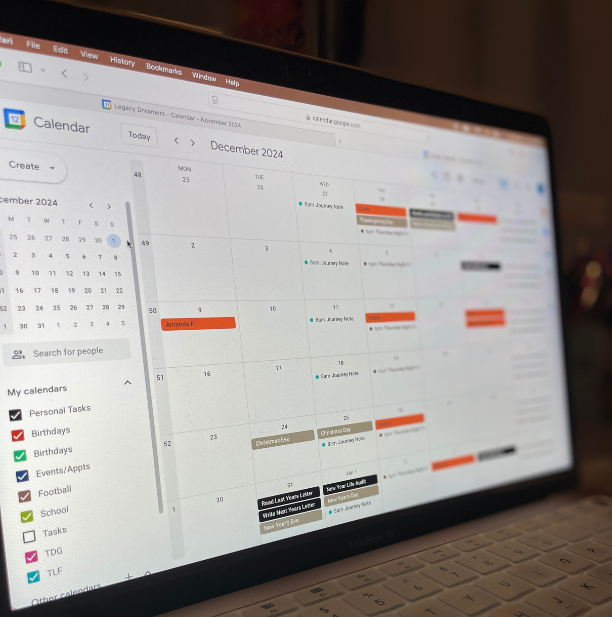
Have a Home for All Your Time Bound Commitments
Your calendar should be home to ALL of your time bound commitments. This means all appointments, events, meetings, chores that have to be done on a specific day, deadlines, and birthdays.
*Pro tip – Don’t just add someone’s birthday to your calendar, be sure to also add a reminders to buy a gift/card, send it, a list of their favorite things to help you shop, and the year they were born for age specific gifts/cards. This is especially helpful for kids birthdays. For long distance friends/family add their address to make shipping easier.
If it has to be completed on a specific day it is a time bound commitment and goes on the calendar no matter what.
Choosing a calendar format like all things comes down to preference but you should also factor in; information volume, and level of resistance.
Calendar Format Preference
First, preference; would you rather keep track of your calendar on paper or with your phone?
Using your phone may be easier because you know you will always have it with you and won’t have to bring a physical planner or pen with you at all times. However, if you’re like me, you may be used to keeping track on paper so you prefer to carry a planner with you. You may work from home or be more of a homebody that doesn’t need to worry about carrying their calendar to many places so pen and paper works just fine for you.
You may know your preference and you may not, if you don’t you get to experiment and see what works best for you. It may also depend on the next two factors as well.
Information Volume
Information volume is a major factor. How much do you have to keep track of on your calendar? If your max information weekly is 3-5 things you most likely won’t have trouble keeping up on paper but if you have 3-5 appointments daily that’s most likely going to require a digital calendar that can change and shift as much as your daily schedule does.
This will also determine the size of your physical calendar, if you prefer paper but have a lot of appointments to keep track of you will have to have a larger planner to accommodate. A larger planner may not be as portable which could be a problem for you. All of these factors work together, though the choice of calendar isn’t a “big deal” you should put some thought into it and not just go with whatever is cute. When it comes to calendars functionality is far more important than aesthetic.


Journey Notes
Whether you’re writing your story, chasing your dream, or simply craving more peace and clarity—get weekly encouragement and resources sent straight to your inbox.
Level of Resistance
How difficult will it be for you to keep your calendar up to date? If you prefer pen and paper and your information volume is low can you keep it up to date easily or would it be better to use a digital format that can automatically add recurring events/tasks without you having to sit down and do it every week.
Do you prefer to plan weekly, daily, or monthly? How much work will it be to use this calendar in that way? If you are invited to a dinner out of the blue how easily can you add it to your calendar? Asking these questions will ensure you are aware of any possible snags with your chosen calendar and can make and changes or adjustments needed.
There is no right or wrong calendar format and more than likely you will have to change formats as your lifestyle changes. I prefer pen and paper and keep up with it well but there was a time when my lifestyle didn’t fit well with a pen and paper calendar so I had to go digital for a while. (For more details on my ultimate productivity system check out this article.)
Remember that for the system to be the most successful it should be as simple as possible.
Color Code
Setting up a color code for all of your information makes referencing your tasks/calendar faster and more efficient. My color coding system looks like this:
- Yellow – Weekly/recurring
- Blue – Work
- Green – Family
- Pink – Birthdays
- Black – Personal
- Gray – Deadline
These colors apply to all of my systems. They are used on digital folders, on my calendar, on my to-do lists, everywhere. Your color code should include major life categories or “buckets” that have the potential to hold tasks, notes, events, appointments etc.
It could be 3 colors or 10 colors as long as it is easily manageable and doesn’t start utilizing too many colors. You don’t want 3 shades of orange that have to be deciphered constantly.
Quick Notes
The final piece of the system is your quick capture method. How will you reduce friction and make capturing information as easy as possible?
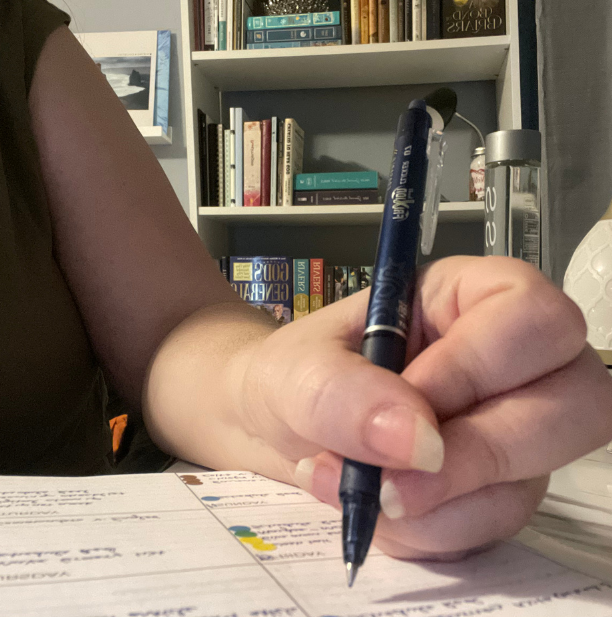
I use index cards for this. I keep a stack of them on my desk, a stack in my purse, a stack in my planner and even some on my nightstand with a pen. They are always within reach ensuring I have a quick method to jot down my thoughts, tasks, ideas, appointments etc. All of which get funneled into my system.
Putting the System to Work
Once you have these 5 pillars now you get to choose a planning method. There are plenty tools and systems to choose from:
- Digital
- Google Suite (Calendar, Keep, Drive etc.)
- Notion
- Apple Ecosystem (Notes, Calendar, Docs etc.)
- Evernote
- Analog
- Bullet Journal
- Happy Planner
- Rings Planner
- Traditional Planner
- Hobonichi
- Travelers Notebooks
- Notebook & Pen
- Hybrid
- Combination of any of the above or unmentioned methods.
Choosing your planning method is a lot like choosing your calendar. What do you prefer and what will work best for you? Once you’ve answered that then it comes down to experimenting and adjusting as you go. Just remember to keep it simple. If you would like more help in setting up your system check out Create Your Simple Ultimate Productivity System