
Create Your Simple Ultimate Productivity System: Key Pieces for Lasting Success
A productivity system becomes a great productivity system when it is designed well and can adapt and grow as your life changes. A great system doesn’t need to be overhauled or replaced every few months.
I’ve wasted plenty of time trying to find the “perfect” system, routine or product that would solve all of my productivity problems. I read books like The 12 Week Year, Deep Work, Building a Second Brain, The 80/20 Principle, What the Most Successful People Do Before Breakfast, and more. Each of them had something to offer, they do have keys and solutions but I didn’t find the solution in any of them.
I assumed something was wrong with me or the way my life was structured. Maybe I didn’t have the kind of job where I could employ these tactics? Maybe I needed to be a morning person even though I was a natural night owl? Whatever the problem, I assumed it was my fault and not the books or productivity “guru’s.” I blamed myself for a system that didn’t fit my needs.
After years of trial and much error, what I’ve discovered is that there isn’t a perfect productivity system! You can’t go out and buy the solution to perfect productivity. No book is going to give you a flawless plug and play productivity system.
Here’s the deal, all of these proposed systems and keys are what works for someone. They are a success story from at least one person’s experience. That’s great and all but that doesn’t mean that their system is going to be successful for you. Don’t go and throw out all of your productivity books or start unsubscribing from all of your favorite YouTube channels. Instead what you should do is analyze these systems to build your own ultimate productivity system.
Analyze
If you take any productivity system and try to immediately implement it in your everyday life you’ve got about a 50/50 chance. Either it works perfectly or it’s awful and you throw the whole system out and miss the solutions it could provide for you. I speak from experience that most systems in their entirety don’t work perfectly but because I analyze them and ask the all important question “WHY?” Some of the key principles can become a part of my own ultimate productivity system.
When exploring a new productivity system or tool, taking the time to ask why it would work makes it possible for you to apply the basic principles to your own system in a way that works best for you.

For example I read The Bullet Journal Method by Ryder Caroll and while the Bullet Journal system didn’t work for me what did work was creating symbols to indicate what each item written in my planner is. I use a bullet symbol for tasks, a triangle for events and a hyphen for notes. If I had simply tried using a Bullet Journal and failed, thrown out the whole thing and moved on I would have missed out on a major key to my productivity system.
Luckily I didn’t throw the whole thing out, instead I started asking questions.
- Why does the bullet journal method work for so many people? Because it is simple, it requires minimal supplies, it is low friction and is fully customizable.
- What about this method works for or benefits my productivity? Consistently writing my tasks down, using pen and paper to plan, a symbol categorization system
- What about the bullet journal method doesn’t work for or benefit my productivity? Creating new spreads frequently, continually rewriting recurring tasks, too customizable it puts a draw on my creativity and energy to use it regularly

From my questions I learned that the bullet journal method didn’t work for me, I also picked up a few keys for my ultimate productivity system in the process:
- A successful productivity system is simple.
- The lower the friction when using the system the more likely it will be used.
- Customization is good in moderation.
- Planning on paper is more beneficial.
- Utilizing a task categorization system such as symbols makes referencing your to-do list faster and easier.
- Your ultimate productivity system will keep track of recurring tasks easily.
Asking these questions and taking the time to analyze the system before overhauling your current system or trying to immediately install it into your daily life will save you time, energy and ultimately increase your productivity.
Expermenting
Sometimes these questions can’t be answered before using it, without trying the bullet journal system I would have never noticed my recurring task problem.
This is where experimenting comes in. Taking a risk and trying new things is so important to creating your ultimate productivity system. There is a “good” way to experiment though, don’t overhaul your system. Instead choose one portion of it to adjust or change. Always experiment in small ways to avoid complete productivity breakdowns.
For example if you wanted to experiment with the bullet journal method but your current system is all digital get a notebook and start daily planning with the bullet journal system. This way your ultimate productivity system is largely unchanged and if the bullet journal system doesn’t work for you only your daily planning was interrupted.
Now that we can agree there is no one perfect productivity system I can share with you the building blocks of your own ultimate productivity system.
This is not a plug and play system, instead think of it as a framework or empty shelves for you to fill with solutions to your individual needs. This is an outline allowing you to build your own ultimate productivity system completely customized to you that you can change and adapt as your life demands.
Quick Capture
Every successful productivity system has a simple and easy quick capture method. This branch of your system collects all of the tasks, information, dates, events, ideas, deadlines, projects, etc. The key to choosing your quick capture method is to define the lowest friction action that does the job.
I prefer pen and paper so my quick capture method is index cards. I have stacks of them everywhere; on my nightstand, my desk, in my purse, in my car, in my planner, my back pocket… Anytime I think of a task, make plans for an event, get an idea or anything else that needs to be dealt with later I write it on an index card. Sticky notes could be another option, a spiral notebook, a legal pad; anything that allows you to write something down and save it for later.
Become Undistractable
Learn to identify and overcome distractions, free your time, and enhance your focus.
If you would prefer a digital option Apple Notes is great, Evernote, voice memos, texting yourself, Notion. There are plenty of digital options. The key is finding what will be the fastest and easiest; the easier it is the more likely you are to actually use it.
Processing Quick Notes
The second part of your quick capture method is processing those notes. First you have to have a way to write them, then you have to have a place where they live, and finally a time when you will process them.
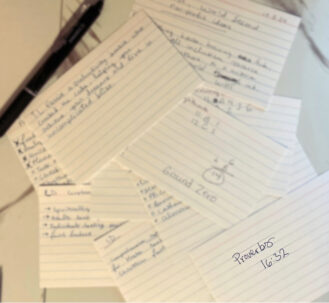
Digital notes have a built-in home but physical notes need a designated “inbox.” My inbox is a small drawer organizer tray on my desk it is the perfect size for index cards, and it doesn’t have a lid so I don’t have to open it to drop in a note. I also have a zipper pouch in the back of my planner for times when I’m not near my desk.
Designating an “inbox” for your notes ensures that nothing gets lost. If you are worried you will lose the note then you most likely won’t write it down in the first place, so having a clear inbox will ensure this won’t happen. It’s best to have just one at most two inboxes for physical notes, this reduces the need for decision making when taking notes and simplifies the next step: processing.
How often you process your inbox will depend fully on how many notes you take. I process my inbox once a week though my inbox is rarely full. I frequently take note of tasks that should be completed within a few weeks and I want to be sure those make it on my calendar in a timely manner.
Processing your inbox is simply moving the quick notes to the proper long term home. If the note is a task it goes into the task management branch of your productivity system, if it is an event it goes onto your calendar and so on. A processing session should be scheduled on your calendar or in your regular rhythms so you don’t have to worry about when you did it last.

Planner
Your ultimate productivity system is highly dependent on your planner, it is the tangible and functional home to your entire system. Majority of your notes will be processed into your planner. Choosing a planner can be incredibly overwhelming, there are an abundance of options and terms that if you aren’t familiar can completely deter you.
Keep these three questions in mind when choosing a planner:
- Can I confidently say I could use this planner for 6 months and it be fully functional?
- Is this planner going to require more of my time to plan than it will to take action?
- If this planner was twice the price that it is now would I still buy it?
I have purchased many a planner and I wish I had asked these questions when I did, it would have saved me a lot of time and money. The third question doesn’t just apply to physical planners, there are more and more digital planner options that require purchasing as well.
After you’ve asked these questions here are few things to consider:
- Format: Is this a physical or digital planner? Have you used this format before? Will this format be the lowest friction option?
- Layout: Planners come in all shapes, sizes, and layouts. Would a monthly, weekly, daily or combination planner work best for you? Would a vertical or horizontal layout serve your needs better? Do you want a full calendar spread to add events directly to or would a mini-calendar for reference work?
- Binding (physical only): Is the planner spiral bound, disc bound, rings, or other? Will it lay flat? Can I comfortably write on the entire page? Does it require specific paper or tools to refill?
- Size (physical only): Will this fit in my purse or be easily mobile if necessary? Is it large enough to accommodate my handwriting comfortably?
- Features (physical only): Is there a pen loop? Are there pockets to store supplies? Is there a closure? Does it include extra pages for notes, goal setting, address or other helpful information?
- Features (digital only): Are the extra features free or do they require an upgrade/subscription? Do the features make using the planner easier or do they add unnecessary steps? Is the planner missing any features that you will need (i.e. automatically recurring tasks)?
- Customization: How customizable is this planner? Can I easily make adjustments as necessary? If my current schedule were to shift, how difficult would it be to make changes to my planner?
Your planner should be home to your calendar and task manager. This is the branch of your ultimate productivity system that manages your time as a whole.
Calendar
Your calendar should be where all of your time bound commitments are. This would include things like: meetings, coffee dates, deadlines, trips, events, tasks that have to be done a particular day or time, birthdays & parties.
Time bound commitments have a clear deadline and their completion is measurable. Things like as “remodel” both lack a clear deadline and have an immeasurable end result.
To maintain your ultimate productivity system your calendar should always be up to date. If it is full of irrelevant tasks and cancelled plans you won’t be able to find what actually needs to be done and eventually will give up on it all together.
Task Manager
Successful task management requires clear and simple organization. In its simplest form your task manager should include: a master task list, an organization method, and a current task list either weekly or daily.
The master task list will be a collection of all incomplete tasks, those tasks then get migrated/moved to the weekly or daily task list when you are ready to complete them or it is close to their deadline.
Your tasks can be organized in any way you want. The most common method is to categorize your tasks. Grouping your tasks into categories such as:
- Cleaning
- Work
- Family
- Home
- Goals
- Health & Wellness
- ect.
These categories do keep your master task list organized but the question is does it keep your task list functional?

Consider alternative options and determine what you feel would be most functional for your task manager. Alternative organization methods include:
- Due Date: Organizing your tasks by due date is great for making sure everything is done on time but if your tasks don’t have due dates they can easily get missed and disorganized.
- Priority: Prioritizing your tasks is helpful in making sure the most important things get done first.
- Impact: All tasks have an impact, organizing them by how big or how important the impact can be helpful in making big changes faster and more efficiently
- Actionability: Not all tasks can be completed immediately, some require prior steps. Organizing your tasks by how easily you can take action on them can keep your task list more clear on what you should do next.
Your task manager could be organized with any one or any combination of these methods. The goal with organization is to keep your list functional and low friction, whatever method(s) does this is the right one for you.
Check-Ins
Keeping your planner current is essential to the success of your ultimate productivity system. This is where check-ins come in handy. Your system should include regular audits or check-ins. As with the rest of your system check-ins can be as simple or as in-depth as you want, the goal is to create a system that runs smoothly and frees up your time to be used on more important tasks than planning.
What should be included in your check-ins? This depends on how frequently you have them. I like to have a seasonal check-in every three months. This is basically quarterly but I prefer to align it with the weather seasons rather than the months of the year as my life tends to shift with seasons.
For example, in the fall and winter I have more family events and parties to attend than any other time of the year, and in the summer my schedule tends to be a bit more loose leaving more room for fun adventures.

Journey Notes
Whether you’re writing your story, chasing your dream, or simply craving more peace and clarity—get weekly encouragement and resources sent straight to your inbox.
This is what my seasonal check-in typically looks like:
- Evaluate my quick capture method and inbox location(s): I take a few minutes to think back over the previous season to see if my inbox locations have been the most effective and if my quick capture method has been working well. If it has then nothing needs to change, if it hasn’t it time to try something new!

- Audit my task manager: This can take a bit of time depending on how many tasks I have, but it is definitely worth the effort. Removing all completed or now irrelevant tasks, updating my organization method, adding/removing due dates and generally tidying up my master list saves me a lot of time in the long run.
- Review my planner: After three months I’ve got a good sense of how well my planner set up is working for me so now is the time to make adjustments, experiments, or upgrades. For example; in my rings planner I change out all of the decorative elements each season to align with my goals for the new season, I also add in a printed outline of my goals for the new season, the weekly and monthly calendars for the next few months and remove all of the old and irrelevant pages.
- Reset my rhythms: We will talk about rhythms in the next section but during my seasonal check-in I reset my rhythms to align with any new goals and the updated schedule for the new season. My morning rhythm, night rhythm, weekly rhythm and daily habits all get an upgrade.
This check-in is the best way to prepare for the next season, month, week, quarter, etc. It gives you a chance to preemptively make changes with intention and purpose rather than when they become necessary and unavoidable, it keeps you in the driver seat of your life rather than being reactive to changes.

Rhythms
Rhythms are a more flexible form of routines. They are repetitive and made up of habits, tasks, and other actions that have a positive effect on you and your life. I prefer rhythms to routines because of their flexibility. While a routine might look like:
- 5:00am – Wake Up & Shower
- 5:30am – Dressed
- 5:45am – Journal & Bible Time
- 6:00am – Coffee & Breakfast
This is an example of a step by step schedule, this would typically be followed no matter the circumstances. Whereas a rhythm is designed to complete all of your desired actions in whatever manner fits for the current circumstances. Think of it as more of a checklist than a schedule. The same routine as a rhythm could look like this one day:
- 5:00am – Wake Up
- 5:10am – Body Shower
- 5:25am – Dressed
- 5:35am – Bible Time & Coffee
- 6:05am – Journal
- 6:15am – Breakfast
and this the next:
- 6:00am – Wake Up
- 6:15am – Everything Shower
- 6:45am – Dressed
- 7:00am – Bible Time & Coffee
- 7:20am – Journal
- 7:30am – Breakfast
In this morning rhythm example you still complete all of the same habits and actions but do what feels or works best for that morning. The beauty of rhythms is they allow space for customization while still providing structure. Your ultimate productivity system should have functional daily and weekly rhythms.
Daily Rhythms
Daily rhythms include: a morning rhythm and a night rhythm but could also include; a commuting rhythm, a work rhythm, a cleaning rhythm, etc. Any space where you can create a series of actions that acts as an automation to guarantee that all of the important things are taken care of make a great rhythms.
Habits are the building blocks of these rhythms, if you are looking for ideas on what habits to build check out this article.
Weekly Rhythms
Weekly rhythms are also be incredibly helpful. I have one for planning where I set up my calendar for the week. I have one for resetting where I declutter, clean and reorganize my physical spaces, I also do a digital declutter where I clean out any photos on my phone, clear my email inboxes and empty my downloads on my laptop. You could create a weekly rhythm for cleaning, meal prepping, cleaning/washing your car, etc.
The Ultimate Productivity System Recipe
To create your ultimate productivity system you should include:
- A Quick Capture Method
- A Planner
- A Calendar
- An Organized Task Manager
- Regular Check-Ins
- Rhythms
- Daily
- Weekly

Productivity is how efficiently you can get the results you want; building your own productivity system comes down to finding the pieces that can be simple and effective for your unique needs. There is not one plug-and-play system that can eternally provide a simple and efficient result, but if you have the building blocks and you are regularly evaluating your system you can have the ultimate productivity system for you.
Now it’s your turn, what element of the ultimate productivity system will you start with?



@
I really like your blog.. very nice colors & theme.
Did you create this website yourself or did you hire someone to do it
for you? Plz respond as I’m looking to create my own blog
and would like to find out where u got this from. thanks
@
Thank you! I created this website myself.
@
This article was really helpful and full
of great information! The website is well-organized and easy to navigate.